Two shortcodes for Amazon affiliate links: a single-product buy button and an interactive ASIN link builder.
Amazon buy button
The amazon-associate-link shortcode renders a yellow Amazon-styled buy button for a single product. Set the asin in the page front matter or pass it directly to the shortcode. Configure your affiliate tag once in hugo.toml.
hugo.toml:
[params]
  amazon_associate_id = "yourtag-20"
In front matter (page-level ASIN):
asin = "B08N5WRWNW"
Shortcode:
{{< amazon-associate-link button_label="Product Name Here" >}}Or pass the ASIN directly in the shortcode:
{{< amazon-associate-link asin="B08N5WRWNW" button_label="Product Name Here" >}}Example
Buy A quick way to add a plug on Amazon.comAffiliate link builder form
The affiliate-link-builder-form shortcode renders an interactive form for building affiliate links on the fly. Enter any ASIN to generate a ready-to-use affiliate link. Useful for building out affiliate content pages.
Configure one or more affiliate tags in hugo.toml — multiple tags appear as a dropdown in the form:
[params]
  amazonAffiliateTags = ["yourtag-20", "yourothersite-20"]
Shortcode:
{{< affiliate-link-builder-form >}}Example
Finding an ASIN
An ASIN is Amazon’s 10-character product identifier. Find it in the product URL after /dp/:
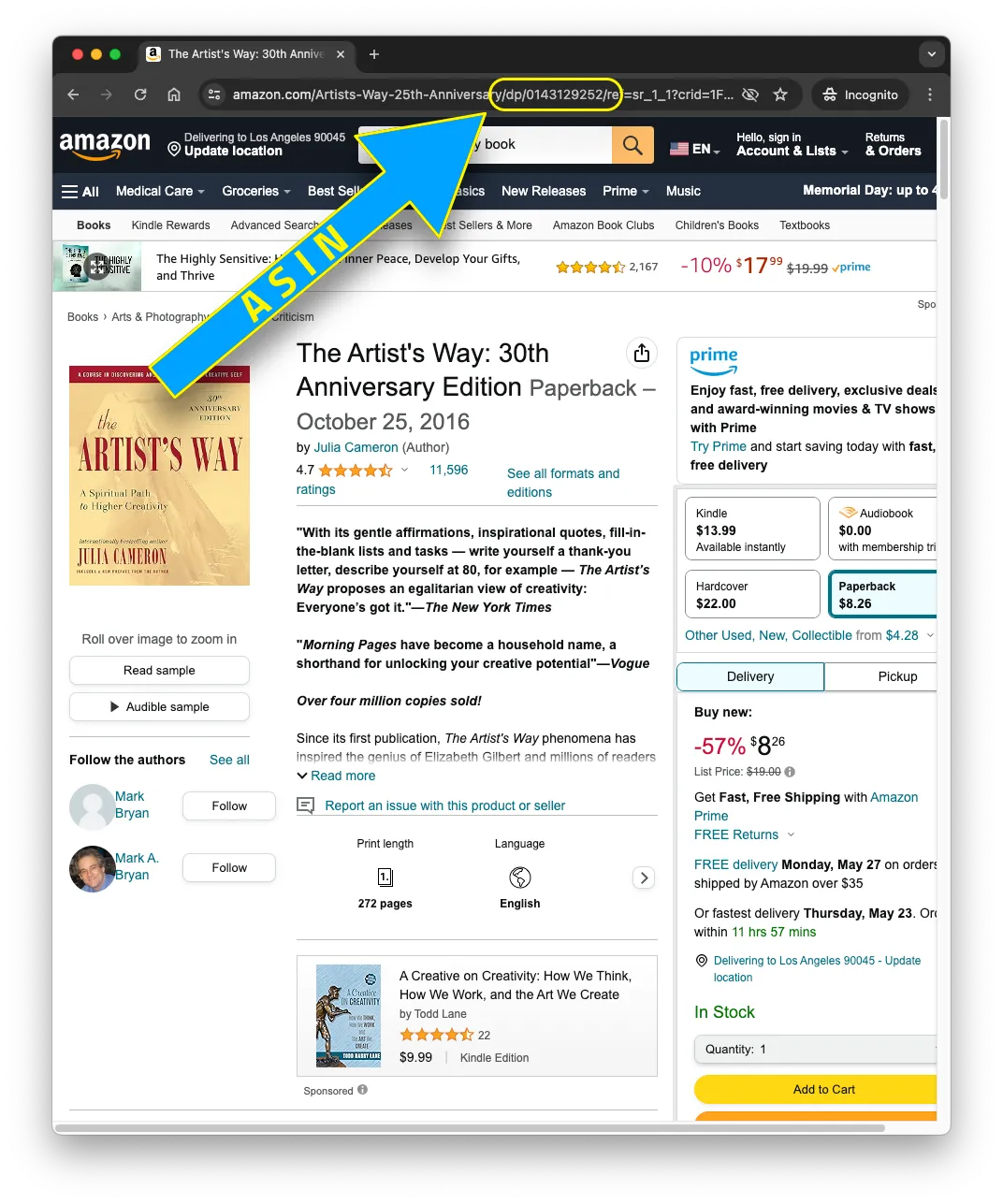
Find the ASIN in the URL bar
You can also find it on any Amazon product page under Product details → ASIN.